
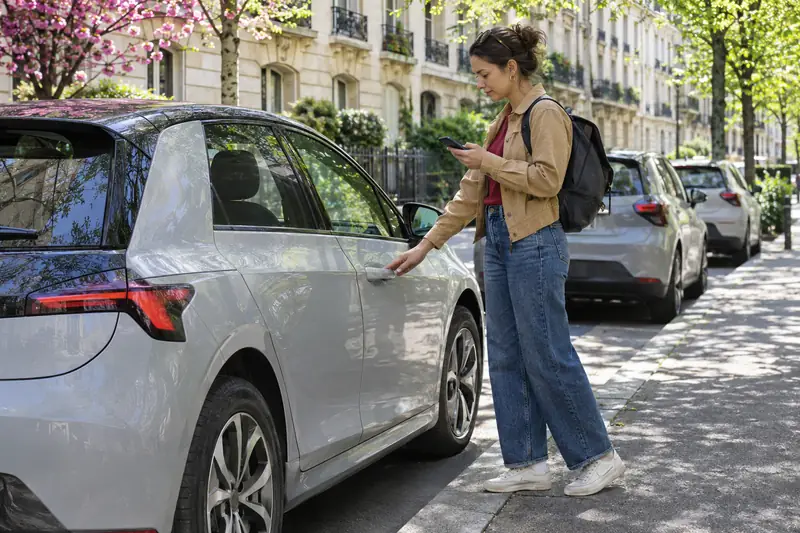
Car sharing apps are smartphone applications that let users find, book, unlock and pay for a shared car, either from a company fleet or from a private owner. They replace paper contracts and keys with identity checks, a digital agreement and a connected lock. Before registering, it is worth comparing the types of service, the fees, the insurance and the way personal data is handled, since these differ far more than the screens suggest, and the cheapest listing is not always the best choice for you.
Three kinds of app behind the same idea
The label covers different services. Some apps give access to a fleet owned by a company, with cars stationed in car parks or left anywhere in a zone. Others are marketplaces on which private owners list their vehicles and borrowers book them. A third category supports groups of friends or neighbours who share their own car and need a calendar and a cost calculator.
The experience varies. A fleet app is usually consistent: the cars are of a known type and the rules are the same for everyone. A marketplace offers more variety but depends on the owner for cleanliness and availability. A group tool offers control but no insurance or support.
Choose by asking how often you need a car, for how long, for what kind of trip and how close you are to a vehicle.
Features worth checking
Look beyond the list of cars. The features that matter in daily use are easy to overlook until something goes wrong.
- Search and calendar: filters for dates, location, vehicle type and price.
- Keyless opening: works without network coverage? Is there a backup?
- Check-in photos: can you record the condition of the car in the application?
- Messaging with the owner or support.
- Payment: accepted cards, deposits, and how refunds are handled.
- Accident reporting inside the app.
Test the application before you need it. Download it, create an account and see how long the verification takes. If a process needs several days, it will not help for a last-minute trip. Read the reviews of the application as well as those of the cars.
Fees, deposits and the real price
The advertised price rarely tells the full story. Look for membership or registration fees, booking fees, a charge per kilometre after an allowance, cleaning charges and fuel or charging costs. Some apps ask for a deposit that is blocked on your card for the duration of the trip.
Compare the total for your typical journeys. A short city trip may be best with a fleet that charges by the minute or hour, while a weekend away may be cheaper with a private owner who sets a daily rate and a generous allowance of kilometres.
Check the conditions for cancellations and for extending a booking. A late return can be expensive, and a last-minute cancellation may cost part of the price. The best app for you is not the cheapest on the front page but the one with the lowest total for your habits.
Insurance and safety in the app
Every serious application includes insurance for the booking period, but the terms differ. Read the amount of the excess, the exclusions and the way to declare an accident. Check whether the cover applies abroad and whether additional drivers are allowed.
Look at how the application treats safety. Does it check the licence and identity of each user? Does it record the mileage and the condition of the car? Can you contact support at any hour? Does the owner or the operator provide roadside assistance?
In an emergency, speed counts. A good application lets you report an accident, send photographs and receive instructions in a few steps. Practice the procedure at home. It is also reassuring to know whether you can reach a person rather than a bot if something goes wrong.
Car sharing apps and your personal data
To use a car sharing application you give a lot of information: identity, licence, address, payment details and often your location. Read the privacy policy to see what is collected, how long it is kept and who receives it.
Connected cars also produce data on position, speed and distance. Check whether the application shares it with the owner, with the insurer or with third parties. Some services use it to charge by distance or to detect misuse.
- Use a strong password and two-step verification if offered.
- Allow location access only when the app is in use, if the settings allow it.
- Delete the account and request erasure of data when you stop using the service.
A trustworthy provider explains its practices in clear language and gives you real choices.
Coverage, cars and city fit
An excellent application is useless if no car is nearby. Check the map before registering: how many vehicles are within a ten-minute walk of your home, your work and the station? Are they available at the hours you need? Does the service operate in the cities you visit?
Look at the type of vehicles. Small city cars suit short trips, while estate cars, vans or electric models may be necessary for specific needs. If you travel with children, check whether child seats are provided.
For electric cars, find out how charging works, who pays and what battery level is required at the end. Services often impose parking zones, and leaving the car outside them may result in a fee. Read the zone map carefully before you end a trip.
Support, reviews and reliability
Reliability appears in the details. How fast does support reply? Does the operator handle a flat tyre, a locked car or a lost key? What happens if a car is not where the app said it would be? Search for experiences of users and look at the proportion of problems reported.
On marketplaces, the reputation of the owner counts. Look at the number of previous rentals, the reviews and the response time. A new owner is not necessarily a bad choice, but you may want to avoid them for an important trip.
Use the app first for a small trip. If the car is clean, the lock works and support answers quickly, you can use it for longer journeys. If not, you have lost little and learned a lot.
A short checklist for choosing
Put your choice into a simple routine. List the journeys you expect to make over the next three months, with distance and duration. Select two or three applications that cover your area. Compare the total price for each journey, including all fees.
- Read the insurance terms and the excess.
- Check the verification process and the delay.
- Look at the privacy policy.
- Test the booking and the opening of a car on a short trip.
- Keep the one that works best and delete the others.
Review your choice after a few months. Services change their prices, their zones and their conditions, and your own habits may change too. A comparison made once is a good start but not a permanent answer.